


Setting up Your Fitbit for the Salty Program
We are delighted to have you as a participant in our Salty Program study! I hope that you have had a chance to begin exploring a bit - discovering more about yourself, what you can do, and what matters to you most.
Your Fitbit® device will provide additional daily insights throughout your Salty Program experience. Along with your daily check-ins, you now have the opportunity to monitor your resting heart rate, sleep patterns and activity levels in the program itself.
Let’s get started!
1. Download the Fitbit App from the App Store.
You will need to set up a free Fitbit account by following the instructions in the Fitbit App. If you already have a Fitbit account, you will need to set up this new device in your current account.
2. Connect the Salty Program App.
Open the Salty app. On the home screen, tap on the menu icon with the three horizontal lines.

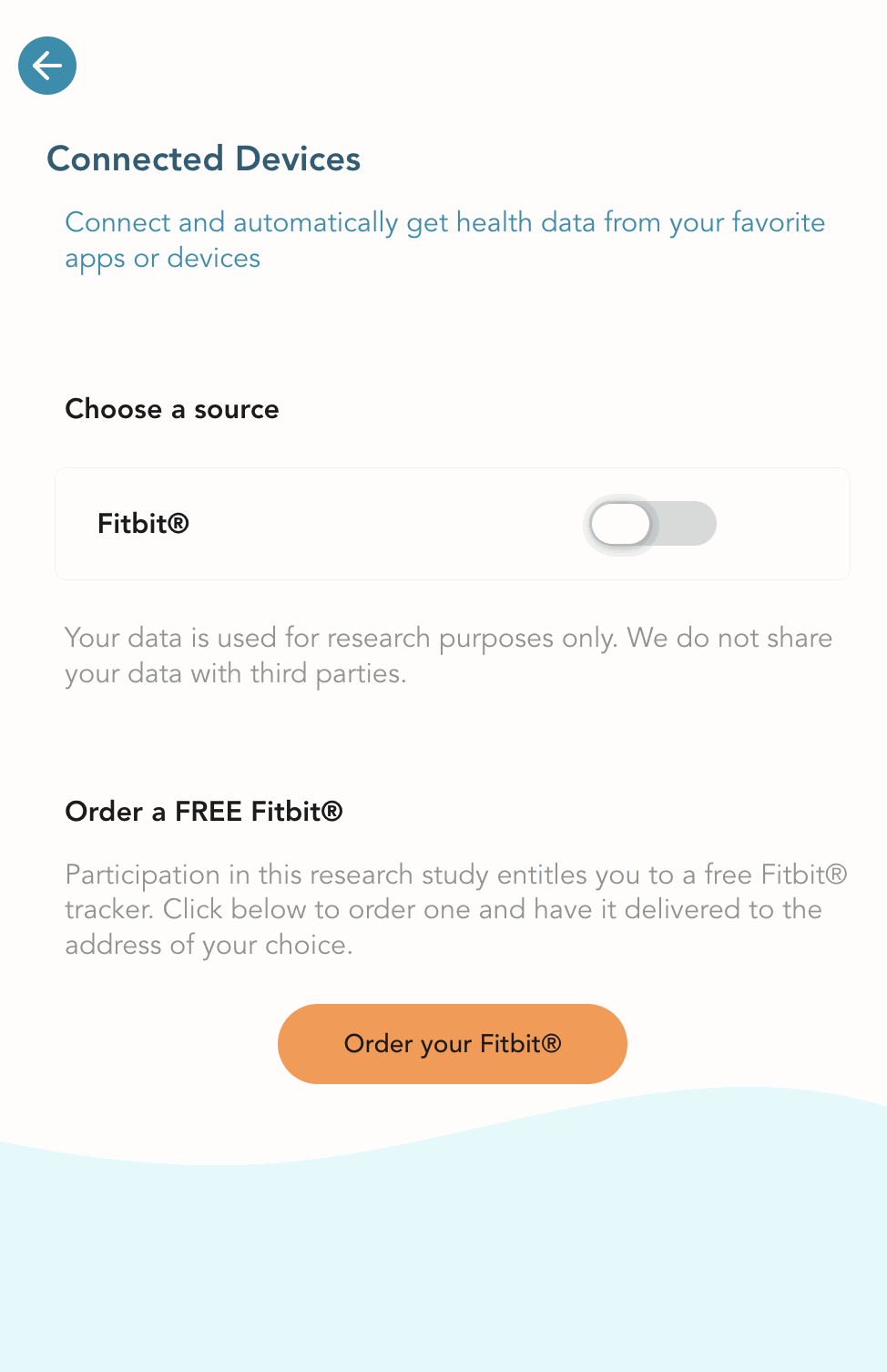
Choose "Connected Devices" in the menu OR access the “Connected Devices” page from the Insights tab at the bottom of the main page.
Turn on the Fitbit toggle switch. You'll need to sign in to Fitbit and allow the Salty Program to collect your data.
Once on the Fitbit webpage, login and authorize the Salty app to access your tracker data. It is recommended to grant full access so you can receive your full set of insights. Follow the instructions to grant permission for data synchronization.
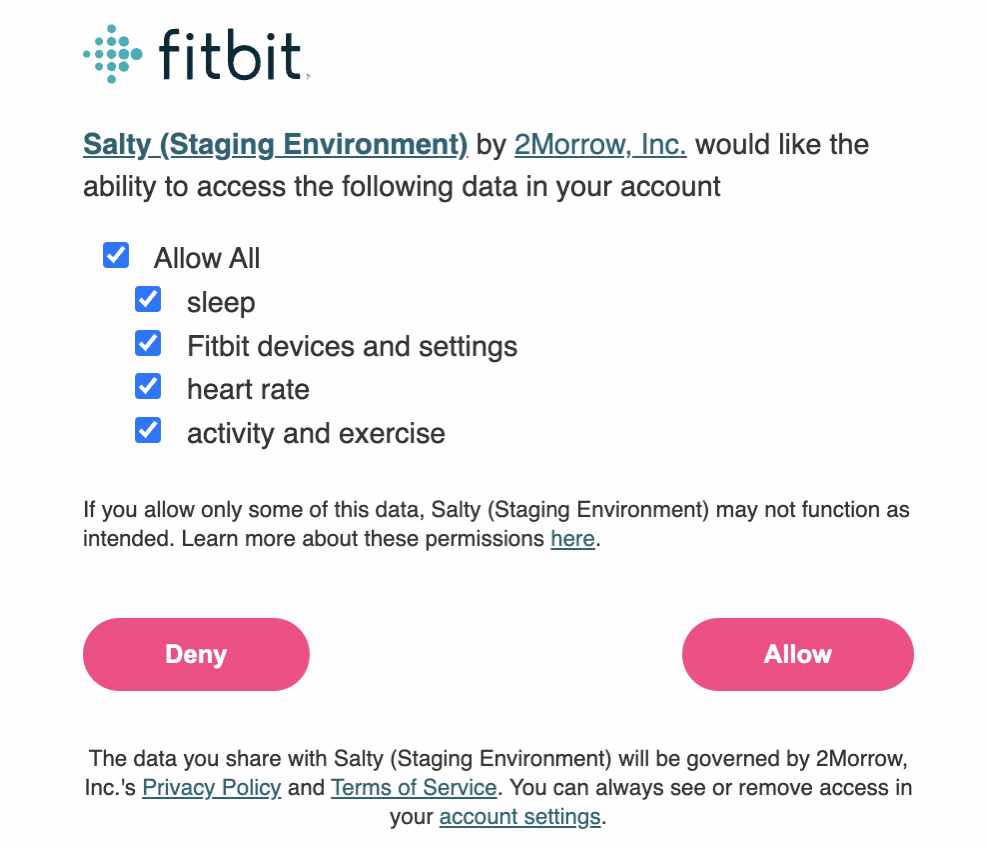
After tapping on “Allow”, return to the Salty app.
Upon returning to the Salty Program, you'll receive confirmation of access. Note that the toggle switch might look like it has turned off while we access your data, but that's okay. It'll turn back on.
Please allow a few minutes for the data sync; we appreciate your patience.
3. Sync Fitbit Data with the Salty Program.
Open the Fitbit app daily or whenever you wish to sync your data.
New data will be synchronized within a few minutes of opening the Salty app.
For additional help syncing your Fitbit with the Salty Program, please contact our tech support team.